Why Katalis is free, and what we actually charge for
The inbox and website chat cost nothing, with no trial and no volume cap. Here is exactly where Katalis makes money, so you can plan around it.

How a small team uses one Katalis inbox to split the work, keep context with private notes and labels, and stop losing chats between apps.
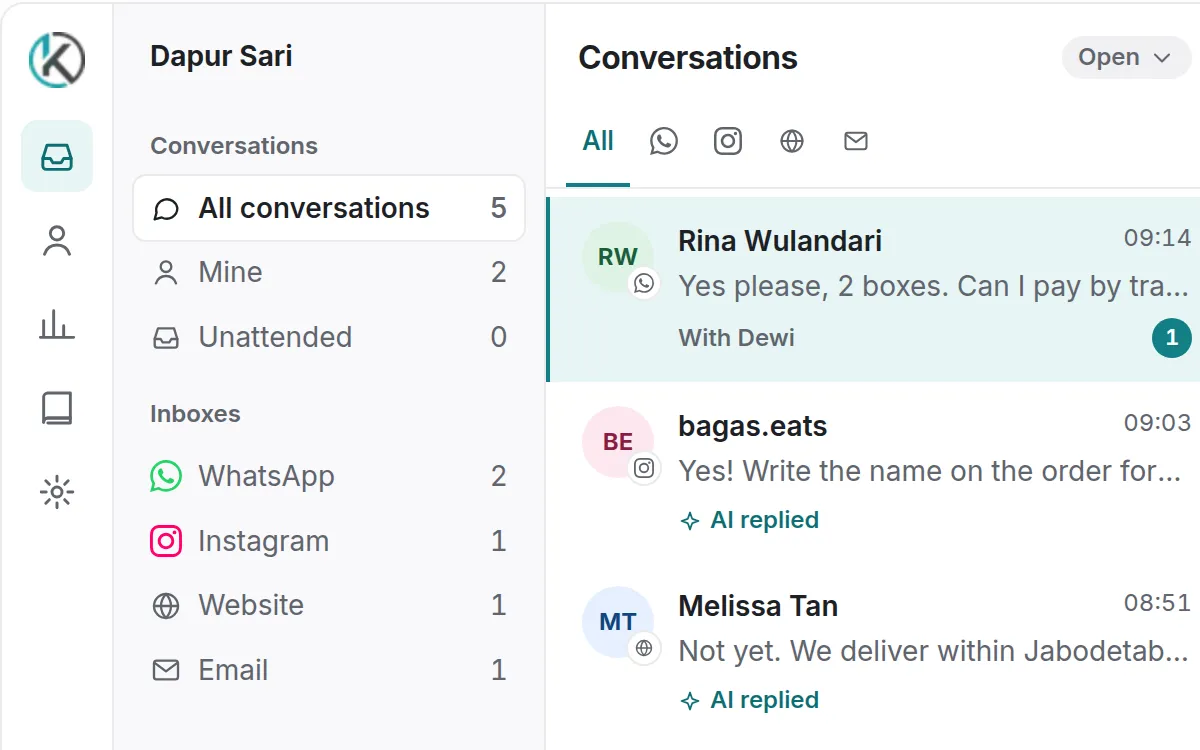
Most small businesses don’t have a customer-service problem. They have a five-apps problem: WhatsApp on the owner’s phone, Instagram DMs on a staff member’s phone, website messages in an email nobody checks. Chats get answered twice, or not at all.
In Katalis, each channel you connect becomes an inbox, and every inbox feeds the same conversation list. Your team sees one queue, filtered by channel when they need it.
order, complaint, or waitlist, and filter by them later.The reports show your first response time, how busy each agent is, and what customers said in the satisfaction survey at the end of a chat. These numbers tell you when it’s time to add a person, or let our agents take a shift.
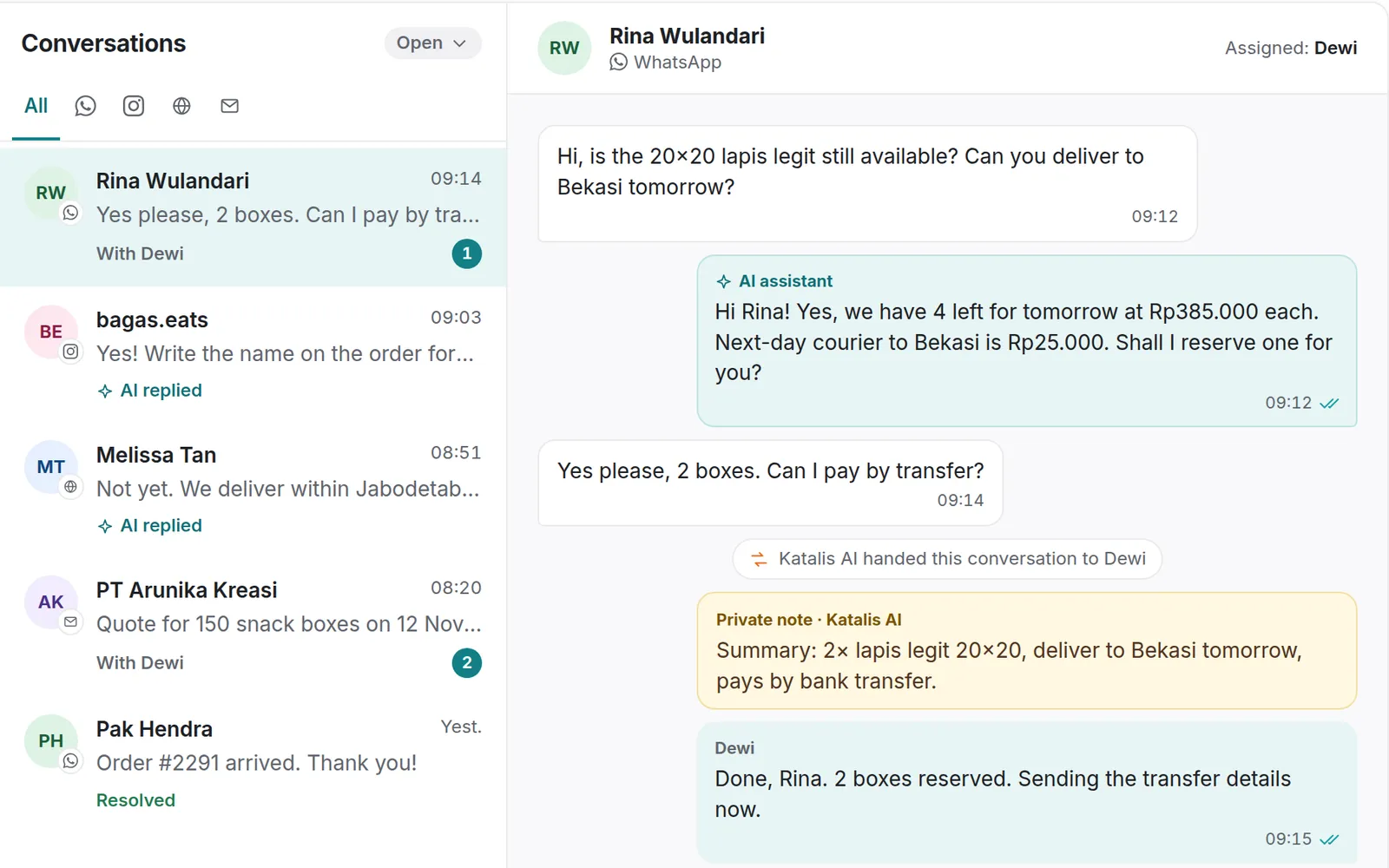
The AI assistant drafts or sends answers to routine questions from your knowledge base, and hands the conversation to a person with a summary when it can’t help. It works in the same inbox, so you always see what it said.
The inbox and website chat cost nothing, with no trial and no volume cap. Here is exactly where Katalis makes money, so you can plan around it.